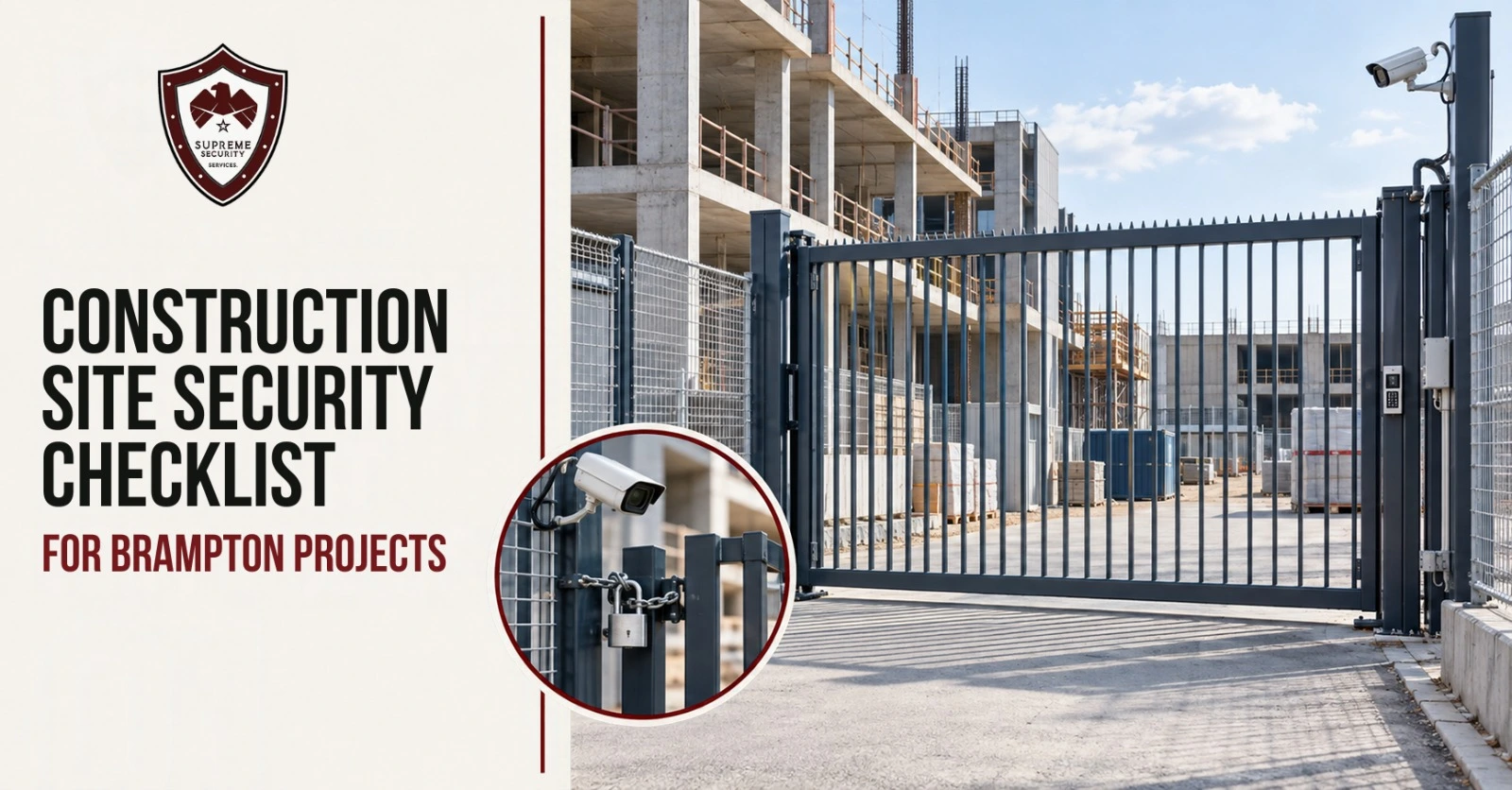
A construction site can change faster than its security plan. A fence moves for utility work. A new trade starts an evening shift. Permanent doors arrive, but their locks are not commissioned. Finish materials enter the building while a camera still points at last month’s storage area.
A checklist completed only at mobilization can become outdated long before handover.
Quick answer: Use a construction site security checklist at mobilization, during daily closeout, before weekends or extended shutdowns and after any major change to the project phase, perimeter, access points, work hours, assets, utilities or security systems. Every unresolved item should have an owner, due date and approved temporary control. The checklist supports security planning, but it does not replace the project safety plan, Ontario construction rules, fire-code duties, permits, insurance terms, emergency procedures or a site-specific assessment.
Brampton projects can face very different operating conditions. A downtown site may share edges with sidewalks, businesses and transit activity. A northwest growth-area project may have a wide, changing boundary. Work near Bramalea or the Steeles and Highway 410 corridors may sit beside active commercial or industrial properties. These are planning examples, not Supreme client locations.
The City maintains a future construction map, but the citywide picture cannot tell a contractor how to secure one active project. The site’s current phase, crew pattern, access, stored assets and after-hours response must drive that decision.
Supreme Security Services can review guards, patrols and monitored camera coverage as part of its construction security services in Brampton.
How to Use This Construction Site Security Checklist
Treat this as a recurring field review, not a form filed once and forgotten.
Assign one owner and a backup
Name the project role responsible for coordinating site security. That person may be a superintendent, project manager, construction manager, owner’s representative or security coordinator. Name a backup who can act when the primary owner is unavailable.
The security owner should coordinate with site management, logistics, safety personnel, responsible contractors and any guard, patrol or monitoring provider. The role should not absorb separate legal, fire, safety or technical duties by accident.
Every open item needs:
- A clear description
- Current status
- Named owner
- Due date
- Approved temporary control, if needed
- Closure record
Use four review cadences
Run the checklist at:
- Mobilization or pre-start: Before normal activity and valuable assets arrive.
- Daily closeout: Before the active site transfers to after-hours coverage.
- Weekend, holiday or extended shutdown: Before the project is unattended for longer than usual.
- Major change: After the phase, boundary, access, work hours, assets, utilities, cameras, alarms or response contacts change.
A full 70-point review is not needed every evening. Use the daily shutdown section for routine closeout. Use the full checklist at mobilization, major milestones, shutdown planning and after a serious incident.
Keep useful records without advertising weaknesses
Record whether an item is complete, what remains open and who owns the next step. Do not place access codes, key-box details, exact randomized patrol times, alarm reset steps or precise camera blind spots in a broadly shared document.
Keep a controlled version for authorized project and security personnel. A public-facing site plan can show approved entrances and emergency routes without showing sensitive security detail.
Keep the safety boundary clear
The Ontario Construction Projects Regulation contains separate requirements for construction work. This security checklist does not replace that regulation, the project safety plan or the competent persons assigned under them.
Do not ask an unqualified checker to enter an excavation, climb scaffolding, touch live equipment, operate machinery, reposition temporary electrical work or enter a damaged area. Route safety hazards through the project’s safety process. For an immediate threat, move to safety and call 911.
Use this issue tracker during each review:
| Item | Current status | Owner | Due date | Approved temporary control | Closed by/date |
|---|---|---|---|---|---|
| Example: fence section moved for utility work | Open | Site superintendent | |||
Reset Security at Every Construction Phase
Each phase changes the site. New materials arrive. Access routes move. Temporary controls give way to permanent systems. The security plan should change with them.
| Project phase | What may change | Assets or activity to review | Security reset |
|---|---|---|---|
| Mobilization and excavation | Temporary perimeter, vehicle access, utility openings and ground conditions | Site trailer, generators, fuel, mobile equipment and survey gear | Map boundaries, set gate rules, define closeout, plan a safe patrol route and establish contacts |
| Structure and framing | Building height, open floors, ladders, temporary stairs and access paths | Formwork, tools, lifts, attachments and mobile equipment | Recheck fence-to-building access, update restricted zones, move views and revise patrol points |
| Enclosure and building systems | Doors and windows begin closing; more trades, rooms and keys appear | Wire, piping, HVAC, electrical gear and equipment rooms | Start room/access control, update rosters, protect staging and revise camera or alarm zones |
| Finishes and fit-out | Many small movable items and completed rooms appear | Fixtures, appliances, finishes, electronics and trade tools | Tighten keys/codes, limit access by zone, shorten storage time and use daily custody checks |
| Commissioning and handover | Temporary and permanent systems overlap; ownership transfers | Keys, fobs, records, devices and punch-list access | Document system status, remove temporary access, transfer records, name alert owners and assess fire-watch needs separately |
Run the five-part Phase-Change Security Reset
After each major change, ask five questions.
1. Boundary
What fence line, gate, opening, public interface or building entrance changed?
Utility work, demolition, façade work and deliveries can create openings that did not exist during the last review. A temporary barrier may also move without the security team being told.
2. Access
Which crew, trade, vendor, inspector or delivery process gained or lost access?
Remove access when a trade demobilizes. Add approved after-hours workers before they arrive. Tell the security team which entry point and work area each authorized group should use.
3. Assets
Which tools, materials, fixtures, mobile equipment, fuel or project records arrived, moved or left?
A camera aimed at an empty laydown area does not help when materials now sit inside the building. An asset register also becomes less useful if ownership and storage location are not updated.
4. Visibility
Which light, camera view, alarm, power source or network path changed?
A new wall, stockpile, trailer or piece of equipment can block a camera. Temporary power work may take a light, alarm or network device offline. Test the current scene and communication path.
5. Response
Who closes the site, receives alerts, attends incidents and follows up on open items now?
Contact lists often lag behind staffing changes. Confirm the primary contact, backup, overnight attendance owner and record-review owner.
Do not wait for a formal milestone
Run the reset after:
- Fence or gate relocation
- A new opening or enclosed area
- Material staging changes
- New shifts or weekend work
- A high-value delivery
- Temporary power or network interruption
- Camera or alarm movement
- Severe weather or prolonged outage
- Theft, trespass, vandalism or repeated unexplained exceptions
The reset should take place as part of project coordination, before the changed condition becomes the new routine.
Put One Current Site Map at the Centre of the Plan
An outdated plan can send a guard to a closed gate, leave a new entrance unassigned or place a patrol route through an area that is no longer safe to access.
What the controlled map should show
The authorized security copy may show:
- Current perimeter and controlled gates
- Worker, visitor and delivery entrances
- Emergency access that must remain clear
- Site trailer and approved controlled-storage zones
- Material staging areas at a planning level
- Mobile-equipment parking areas
- Lighting and camera zones
- Guard post and authorized patrol/checkpoints
- Public sidewalks, neighbouring properties and shared drives
- Areas that security personnel must not enter
The map should reflect current conditions, not the tender drawing or last phase’s logistics plan.
What a broadly shared map should leave out
Do not place these details in a public or widely circulated version:
- Access codes
- Key-box locations or contents
- Exact patrol order or randomized times
- Alarm reset steps
- Detailed camera gaps
- Device credentials
- Personal contact details beyond the intended audience
Assign version control
Date and number each controlled copy. Name the project role that can approve a change. Include relevant input from site management, security, logistics, safety and responsible contractors.
When a changed plan is issued, withdraw or mark old copies so guards and staff do not work from conflicting versions.
Check the Perimeter, Gates and Public Edge
Temporary fencing is active site equipment. It can shift after deliveries, grading, weather, utility work or vehicle contact.
Perimeter checklist
During an authorized walk, ask:
- Does the intended boundary remain continuous?
- Are fence panels connected and stable under the responsible contractor’s approved method?
- Did grading, demolition or utility work create a gap?
- Did stored materials, bins, trailers, equipment or snow create an unintended crossing point?
- Is any damage recorded and routed to the responsible contractor?
- Is an approved temporary control in place until safe repair?
- Are warning and contact signs current and readable?
- Do site staff know who can approve a boundary change?
Security staff may observe and report damage. They should not attempt structural fence repair or enter a hazard unless authorized and qualified.
Vehicle and pedestrian gates
For each gate, define:
- Intended users
- Open and closed periods
- Staffed, restricted or locked status
- Authorized key or credential holders
- Opening and closing owner
- Final verification method
- After-hours exception process
- Emergency access requirement
If one guard staffs the gate, decide whether that person may leave for rounds. Do not assign distant perimeter checks at the same time unless another approved method covers the entrance.
Public and neighbouring-property interface
A downtown Brampton site may sit beside active sidewalks, shops, transit stops or occupied buildings. A greenfield project may have a longer boundary and fewer natural observers. An industrial-corridor project may share drives or operate near truck traffic.
Review:
- Public sidewalks and crossing points
- Shared access and neighbouring gates
- Laneways, easements and utility routes
- Areas where people may mistake the site entrance for a public path
- Lighting and sightlines at public-facing edges
- Signs that direct visitors without revealing security details
Peel Regional Police advises businesses to maintain clear views, use lighting, have an alarm and keep surveillance equipment working. These are useful planning points, not construction-code specifications or promises that an incident will be stopped.
Control Workers, Trades, Visitors and After-Hours Entry
Construction access changes whenever crews rotate. A permanent employee list cannot manage short-term subcontractors, inspectors, replacement workers and evening specialists by itself.
Keep the active roster usable
The responsible project team should maintain the current authorization record. Define:
- Worker or subcontractor name and company
- Approved work period
- Approved entrance and work zone
- Credential issued
- Project contact or supervisor
- Access end date
- Credential return or revocation status
Remove access when a trade demobilizes. Do not wait for the final project closeout to recover keys, cancel cards or change shared codes.
Give visitors and inspectors a clear route
Identify the approved check-in point. State who confirms the visit and who handles escort or project orientation.
A security guard may verify that a person appears on the approved record and contact the named project representative. The guard should not decide whether a visitor has the technical qualifications, safety training or permit needed to enter a work zone. That decision belongs to the responsible project role.
Approve after-hours work before it starts
An after-hours authorization should identify:
- Company and approved people
- Date and time window
- Entrance and work area
- Vehicle information where project policy requires it
- Responsible site contact
- Expected equipment or material movement
- Closing responsibility
Give the relevant information to the guard, patrol or monitoring team. If activity does not match the record, follow the written exception process.
Write access exceptions in advance
Set a response for:
- A worker missing from the current list
- An unexpected replacement worker
- A lost credential
- A former subcontractor
- A person arriving outside approved hours
- A visitor refusing the check-in process
- A delivery using the wrong entrance
- A contact who cannot be reached
The instruction may require the guard to deny entry, hold the person at the public waiting point when safe, contact a backup or follow an emergency procedure. Do not force guards to invent approval rules during a dispute.
Verify Deliveries and Material Release
Deliveries change both asset exposure and the physical site. A load can block a camera, occupy a gate, change the fence route or place valuable material on site earlier than planned.
Before arrival
Use an expected-delivery record maintained by the authorized project team. It may include:
- Supplier or carrier
- Date or delivery window
- General material description
- Receiving contact
- Approved entrance
- Approved staging area
- Special access instruction
Limit valuable-delivery details to people who need them. Do not post a schedule of high-value materials in a widely shared chat or public board.
At arrival
Direct the driver to the approved entrance and safe waiting location under the project traffic plan. Compare the delivery with the current record. Contact the named receiver when information is missing or changed.
Security can verify authorization and record the event. The competent project or trade representative should decide:
- Technical acceptance
- Quantity and condition
- Safe unloading method
- Correct storage location
- Custody after acceptance
Do not make a gate guard accept material ownership or technical condition without written authority.
During unloading and staging
Confirm that the new placement does not:
- Block emergency access
- Create an unintended route over or through the boundary
- Hide a gate, fence section, light or camera view
- Place material outside the approved controlled area
- Leave ownership or custody unclear
If the delivery changes the layout, run the five-part reset.
Material leaving the site
Use an approved release process for:
- Returns
- Scrap
- Rental equipment
- Tools moving between projects
- Materials transferred to another property
- Removed fixtures or equipment
Record authorization, general item description, vehicle and time only as project policy permits. Security should not guess whether material belongs to the owner, general contractor or subcontractor.
Secure Tools, Materials, Equipment and Fuel
“Protect assets” is not an assigned task. The closeout must say which party controls each item and what record shows the duty was completed.
Small tools and trade equipment
Each contractor should know whether its tools must be removed, placed in controlled storage or checked into a project tool room. Where the project uses a checkout record, assign who maintains it.
Useful records may include:
- Owner or responsible company
- Make, model and identifier
- Photo or purchase/lease record
- Current authorized storage area
- Person responsible for closing custody
Keep sensitive inventories in an authorized location. A list of valuable tools and their storage area should not be open to every site visitor.
Materials and installed items
Review what becomes movable or valuable during each phase. Examples may include wire, piping, electrical gear, HVAC components, fixtures, appliances, finishes and electronics.
Ask:
- Can delivery happen closer to installation?
- Is the staging area inside the current controlled boundary?
- Does the material block lighting, cameras, gates or patrol paths?
- Who accepts custody after delivery?
- Who records movement from storage to the work area?
- Which leftover material, return or scrap needs release approval?
Do not use a generic “high-value” label without naming the responsible owner and storage rule.
Mobile equipment, generators and attachments
Follow the manufacturer, owner, insurer and project requirements for keys, parking, trackers, immobilization and inspection. Security staff may document an observed open panel, missing key, damaged lock or moved item. They should not operate or mechanically secure equipment unless trained and authorized.
Assign:
- Start and end condition check
- Key or credential custody
- Approved parking area
- Attachment and accessory record
- Tracker or geofence owner, if used
- Missing or tampered equipment response
Fuel, batteries and portable power
Control fuel deliveries and access under project policy. Include tanks, caps, portable containers, chargers, batteries and generators in closing checks where relevant.
Treat leaks, damaged electrical equipment, heat, fumes and hazardous conditions as safety or technical issues. Move to a safe area and notify qualified project personnel under the emergency plan. A guard should not attempt a repair.
Protect the Site Trailer, Keys, Codes and Project Records
The site trailer may hold laptops, keys, access instructions, delivery records, worker lists and drawings. A physical break-in can become an information-security problem if those records are exposed.
Site-trailer closeout
The authorized closing process may check:
- Doors and windows
- Alarm status
- Priority camera view
- Exterior lighting
- Electronics and portable devices
- Sensitive paper records
- Visitor and delivery logs
- Keys, cards and lockboxes
- After-hours contact information
Do not keep the only copy of essential incident, asset or access records in one site trailer if the project has an approved off-site record system.
Maintain a key and credential register
For each key, card, code or device, record:
- Who issued it
- Who received it
- What it accesses
- Issue date
- Expected return or end date
- Return, revocation or change status
- Lost or compromised credential action
Avoid shared codes where the project can assign individual credentials. If a shared code is necessary, name who may know it and when it must change.
Treat project information as an asset
Limit access to:
- Site and patrol plans
- Worker and subcontractor rosters
- Delivery schedules
- Alarm instructions
- Camera access
- Incident reports
- Personal contact details
- Asset and serial-number lists
Define who may retrieve video, share an incident record or release project information to police, an insurer, the owner or another party.
Re-Test Lighting, Cameras, Alarms and Connectivity
Temporary systems move. Buildings rise into old camera views. Materials create shadows. Power and network arrangements change. Test what the system can see and who receives its signal now.
Lighting checks
Review gates, public edges, storage areas, site trailers and intended camera scenes after dark.
Look for:
- Deep shadow
- Glare or washout
- New obstructions
- Lights aimed away from the current priority area
- Equipment or material blocking light
- Outage or timer changes
Temporary power and lighting changes belong to authorized project personnel. Security staff should report a fault, not alter electrical equipment without approval and qualifications.
Camera-view checks
Test the real scene after fencing, hoarding, cranes, lifts, trailers, stockpiles or structures move.
For each priority camera, document:
- Intended security purpose
- Area visible in daylight and darkness
- New obstruction
- Whether the view is actively monitored or only recorded
- Monitoring hours and event rule
- Power and connection status
- Correct time setting
- Clip-retrieval owner
- Response contact
A camera count does not describe usable coverage. State which view supports which decision.
Alarm, power and network checks
Trigger an authorized test under the provider’s process. Confirm that the signal reaches the correct person and that the contact understands the expected action.
Name owners for:
- Device health
- Battery or backup power
- Cellular or internet service
- Recorder status
- System faults
- Contact-list changes
- Physical attendance after an alert
Create a fallback for a power, network or device outage. Do not assume the security provider learns about every failure unless system-health monitoring is part of the service.
Camera privacy and public-facing views
The Office of the Privacy Commissioner of Canada advises private organizations using overt surveillance in publicly accessible areas to define a business purpose, limit the viewing range, provide notice, restrict access, set retention rules and train operators. Its guidance states that it does not cover employee surveillance.
For a construction site, ask:
- What security purpose does each public-facing camera serve?
- Does it capture more public or neighbouring space than the purpose needs?
- What notice is required?
- Who can view or retrieve recordings?
- How long are recordings kept?
- How are disclosures and deletions recorded?
- Does audio raise separate legal or privacy questions?
- Which employment, contractual, federal or provincial rules apply?
Review worker monitoring and audio with qualified privacy or legal personnel. Do not treat a general public-surveillance guide as a complete rule for employees.
Supreme’s live video monitoring services can be assessed for defined views, hours, events and response instructions.
Decide Where Guards, Mobile Patrol and Monitoring Fit
Choose the service by duty and coverage period.
| Construction duty | On-site guard | Mobile patrol | Live video monitoring |
|---|---|---|---|
| Continuous daytime gate or access | Strong | Weak | Support only |
| Scheduled after-hours physical checks | Possible | Strong | Cannot touch or inspect physically |
| Selected visual zones when site is quiet | Limited by guard location | Limited to the visit | Strong where views and systems work |
| Delivery or visitor interaction | Strong | Only during a visit | Remote support only |
| Alarm or event attendance | On site if duties allow | Strong under dispatch terms | Can verify a visible event; needs an attendance owner |
| Opening or closing checks | Strong | Strong when scheduled | Visual confirmation only |
When an on-site guard may fit
Consider a fixed or site-based guard when the project needs:
- Continuous gate control
- Frequent worker, visitor or delivery interaction
- Repeated access exceptions
- A visible person at a defined post
- Ongoing observation and reporting during set hours
One person cannot staff a gate and walk a distant perimeter at the same time. Rank the duties, add relief or give the separate task to another coverage type.
Read about uniformed security guards when planning post duties and reporting.
When mobile patrol may fit
Patrol may suit:
- Repeat fence, gate, trailer and selected-zone checks
- Scheduled opening or closing
- Alarm attendance
- Short after-hours coverage
- Several nearby sites managed under one patrol plan
The officer leaves after the visit. If the site needs awareness between visits, use another detection source and name the attendance owner.
Review mobile patrol security services for checkpoints, visit records, opening/closing and alarm attendance.
When live video monitoring may fit
Monitoring may suit:
- Defined camera zones
- Clear event rules
- Quiet or lightly staffed periods
- Sites with usable views, power and connectivity
- Events that benefit from visual verification before notification or attendance
A remote operator cannot close a gate, inspect damage or confront someone. Name the person or patrol unit that can attend.
When a combined plan may fit
A guard can manage the active gate while monitoring covers selected storage or perimeter views. Monitoring can verify an event between patrol visits. Patrol can inspect a gate or damaged fence that the camera cannot confirm.
The mix only works when each duty and handoff is written down. For a deeper selection guide, see security guard vs mobile patrol vs live video monitoring once that article is live.
Complete a Documented Daily Shutdown
Daily shutdown transfers an active workplace into its after-hours condition. One named person should complete and sign the closeout.
People and access
- Confirm that normal work has ended or list approved after-hours crews.
- Close the visitor and delivery record.
- Record anyone still on site and the responsible supervisor.
- Transfer unfinished access exceptions.
- Return or revoke temporary daily credentials under project rules.
- Confirm the overnight primary and backup contacts.
Perimeter and building openings
- Check assigned gates and approved pedestrian points.
- Record fence changes, damage and approved temporary controls.
- Check temporary or permanent doors, windows and controlled openings on the authorized safe route.
- Confirm emergency access remains available under the project plan.
- Report public-edge signs or barriers that changed during the shift.
Assets
- Confirm assigned tools and materials are stored, removed or transferred.
- Confirm equipment key and closing duties with the responsible owner.
- Review mobile equipment, generators and attachments from an authorized safe position.
- Complete relevant fuel, battery and charger checks through responsible personnel.
- Close and secure the site trailer under the project process.
Visibility and systems
- Confirm intended lights operate.
- Check priority camera views for obstruction.
- Confirm alarm and monitoring status.
- Record power, network, recorder or device faults.
- Confirm the correct overnight contacts receive alerts.
Handover
Record:
- Approved late crews
- Expected after-hours deliveries or service calls
- Open gates, doors or work areas under approved control
- System faults
- Damaged fencing or blocked views
- Temporary measures
- Patrol or monitoring instructions
- Primary and backup contacts
- Items requiring morning follow-up
Use this daily closeout card:
| Area | Yes | No | N/A | Exception or open item | Owner/handover |
|---|---|---|---|---|---|
| People and after-hours access confirmed | ☐ | ☐ | ☐ | ||
| Gates, fencing and approved openings checked | ☐ | ☐ | ☐ | ||
| Tools, materials, equipment and trailer closed out | ☐ | ☐ | ☐ | ||
| Lights, cameras, alarms and connections checked | ☐ | ☐ | ☐ | ||
| Overnight contacts and instructions confirmed | ☐ | ☐ | ☐ | ||
| Morning follow-up assigned | ☐ | ☐ | ☐ |
Prepare Separately for Weekends, Holidays and Weather Shutdowns
A longer closure needs its own review. Do not assume a normal Friday closeout covers a multi-day shutdown.
Extended-shutdown review
Confirm:
- Work and delivery schedule
- People authorized to enter
- Assets remaining on site
- Temporary gates and incomplete enclosure
- Material staging and custody
- Lighting, camera, alarm and power status
- Monitoring or patrol periods
- Emergency and service-provider access
- Primary and backup contact availability
- Restart owner and time
If a site remains partly active, separate active work areas from closed areas in the handover.
Weather effects
Weather can change physical and electronic controls. Review:
- Wind or impact damage to approved temporary fencing
- Snowbanks or stored snow altering the boundary
- Rain, snow, fog or glare reducing camera usefulness
- Outages affecting lights, alarms or connectivity
- Frozen or obstructed gates
- Water or storm damage near equipment and power systems
Security staff should document and report. Qualified project personnel should handle repairs, electrical hazards and access into damaged zones.
Restart check
Before normal entry resumes:
- Inspect authorized routes and boundaries
- Review alerts, patrol reports and camera events
- Confirm material and equipment status
- Check system faults and outages
- Record damage or unexpected movement
- Update access for returning crews
- Run the five-part reset if the shutdown changed conditions
Set the Incident and Evidence Path Before an Event
People make better decisions when the reporting path already exists.
1. Put life safety first
Move to safety. Call 911 for an immediate threat, crime in progress, fire or medical emergency under the project emergency plan.
2. Do not confront or enter a hazard
Workers, supervisors and guards should act within their training, legal authority and written instructions. Do not chase a person, search an unsafe building area or enter an excavation to check possible evidence.
3. Notify the project chain
The contact list may include:
- Site superintendent
- Project manager
- Owner’s representative
- Security supervisor
- Monitoring or patrol provider
- Responsible contractor
- Safety or fire-safety contact when relevant
- Insurer or broker under policy instructions
State the primary and backup order for daytime and overnight events.
4. Protect the scene
Limit unnecessary access. Do not clean, repair or move items until police, emergency services or responsible project personnel give direction, except when action is needed to protect life.
5. Preserve records that already exist
Preserve available:
- Camera footage or event clips
- Access and credential records
- Patrol and guard logs
- Delivery and material-release records
- Alarm notifications
- Asset identifiers and ownership records
- Photos taken from an authorized safe location
- Relevant emails or messages
Do not ask untrained staff to conduct an investigation.
6. Build one event timeline
Record:
- First observation or alert
- Person who received it
- Verification steps
- Contacts and call times
- Attendance and actions
- Police occurrence information where provided
- Records saved
- Open repair or access tasks
- Handover and closure
7. Assign corrective actions
An incident may reveal a fence repair, credential change, blocked view, faulty light, missed patrol point, contact failure or uncovered time period. Give each item an owner and due date. Run the phase reset if the event changed the site.
Use the current Peel Regional Police Reporting & Records page for emergency, non-emergency and online reporting routes. It lists 911 for emergencies. Check current contact numbers and online-report categories at the time of the incident.
Construction Security Patrol Is Not Automatically Fire Watch
Construction security and fire watch can both involve patrols and logs, but they are not interchangeable assignments.
Ordinary construction-security duties
A standard security post may include:
- Access control
- Perimeter and gate checks
- Observation of tool, material or equipment zones
- Alarm response
- Trespass or damage reporting
- Guard, patrol and incident logs
The post orders should define the route, timing, access limits, escalation contacts and safety restrictions.
A formal fire-watch assignment
Fire watch follows a separate requirement set by the site’s fire safety plan, hot-work controls, impaired life-safety system, permit, responsible fire-safety professional or authority having jurisdiction. It may require a set patrol area and cadence, fire-related observations, emergency communication and a dedicated log.
Do not assume every construction project needs fire watch. Do not assume a normal fence patrol satisfies a formal fire-watch instruction.
The current Ontario Fire Code and project-specific direction must be checked for the actual condition. Brampton Fire and Emergency Services is the local fire service; its page instructs users to call 911 for emergencies.
Before assigning one person both roles
Ask:
- Who determined that fire watch is required?
- What zone and patrol timing did the responsible plan or authority set?
- Can the person complete that route without abandoning gate or access duties?
- What training, equipment and log are required?
- Which emergency number and notification path apply?
- Who provides relief?
- Who confirms system restoration or ends the assignment?
If the two duties conflict, assign separate coverage or change the existing post. Do not reduce a fire-watch route to fit a guard’s unrelated workload.
Supreme provides fire watch security services for assignments whose scope has been confirmed. The project must still verify the actual requirement and instructions with the responsible authority and fire-safety professionals.
Full Brampton Construction Site Security Checklist
Use Yes, No or N/A for each item. Add an owner and due date for every open item. An unchecked item is a prompt for review, not proof of legal non-compliance and not a quantified risk rating.
A. Ownership and current plan
1. A named role owns security coordination.
2. A backup can act when the primary owner is unavailable.
3. A current controlled site map exists.
4. Emergency access and public interfaces appear on the map.
5. Open security items have owners and due dates.
6. Sensitive site-security information is limited to authorized users.
B. Perimeter and gates
7. The intended perimeter is continuous under current conditions.
8. Fence and gate damage or gaps are recorded.
9. Approved temporary controls remain until safe repair.
10. Vehicle and pedestrian access points are identified.
11. Each gate has an opening, closing and verification owner.
12. Keys, locks and credentials are limited to authorized holders.
13. Warning, contact and wayfinding signs are current and readable.
14. Public and neighbouring-property interfaces have been reviewed.
C. Workers, visitors and after-hours access
15. The worker and subcontractor authorization list is current.
16. Demobilized workers and trades have lost access.
17. Visitors use the approved check-in route.
18. The correct project role owns escort and orientation decisions.
19. After-hours work is approved before the shift begins.
20. Security receives current after-hours activity details.
21. Access exceptions follow a written escalation path.
22. Guards are not asked to decide technical or safety qualifications.
D. Deliveries and material release
23. Expected deliveries have an authorized record.
24. Each delivery has a receiving contact and approved gate.
25. Changed or unexpected deliveries are escalated.
26. Material custody is recorded after acceptance.
27. Staging does not create an uncontrolled entrance or blocked security view.
28. Returns, scrap and off-site movement need approved release.
29. Valuable-delivery details are not broadly shared.
E. Tools, materials, equipment and fuel
30. Each contractor knows its closing and storage duty.
31. Small tools follow the approved storage or removal rule.
32. Material staging matches the current project phase.
33. Asset identifiers and ownership records exist in an authorized location.
34. Equipment keys and access devices follow owner and project rules.
35. Start and end equipment checks have a responsible owner.
36. Parking, immobilization and trackers follow approved requirements.
37. Fuel, batteries, chargers and generators have assigned closing checks.
38. Leaks, electrical faults and hazardous conditions go to qualified personnel.
F. Site trailer, keys and information
39. Trailer doors and windows follow the closeout process.
40. Electronics and project records are stored as required.
41. Key, code and card issuance and return are recorded.
42. Lost or compromised credentials have a response path.
43. Visitor, delivery and incident records are controlled.
44. Essential records are not dependent on one on-site copy.
45. Video and incident-record access is limited and recorded where required.
G. Lighting, cameras, alarms and connectivity
46. Priority zones have been reviewed after dark.
47. Glare, shadow and obstruction issues are recorded.
48. Qualified personnel own temporary power and lighting changes.
49. Camera views still match current gates, storage and structures.
50. Monitored and recorded-only views are documented separately.
51. Alarm and alert signals reach the correct contact.
52. System health and outage ownership are assigned.
53. A fallback exists for power, network or device failure.
54. Retention, access, notice and audio questions have been reviewed.
H. Closing, shutdown and response
55. A named person completes daily closeout.
56. Approved after-hours workers appear in the handover.
57. Gates, openings, assets and systems are checked within the authorized safe route.
58. Open exceptions and temporary controls are recorded.
59. Overnight contacts and backups are current.
60. Weekend and holiday shutdowns receive a separate review.
61. Weather and outage conditions have response owners.
62. Workers know the emergency and non-emergency reporting paths.
63. Incident records and available evidence have a preservation process.
64. Post-incident actions are assigned and closed.
I. Phase-change reset and fire-watch boundary
65. The five-part reset runs after each major change.
66. Access is removed when a trade or phase ends.
67. Asset and material locations are updated.
68. Lights, camera views, alarms and response contacts are re-tested.
69. The responsible plan or authority determines any fire-watch requirement.
70. Fire-watch work has separate duties, route, timing, log and relief where required.
When the Current Security Coverage Needs to Change
A checklist should lead to action. Review the current guard, patrol or monitoring plan when:
- A gate is too busy for the assigned guard to complete other duties.
- Patrol records repeatedly show the same fence, gate or lighting issue.
- Cameras are often blocked by the current phase.
- Alerts reach a contact who does not answer or cannot attend.
- High-value materials will remain longer than planned.
- New trades or after-hours shifts expand access.
- Temporary doors and openings multiply.
- Power or connectivity changes reduce camera or alarm availability.
- A weekend or holiday extends the unattended period.
- An incident reveals an unassigned duty or handoff.
- A life-safety system change or hot work creates a possible fire-watch need that requires formal confirmation.
The answer may be a repaired physical control, revised access list, moved camera, changed patrol point, temporary guard post or clearer contact path. Do not default to adding security hours before identifying the failed task.
Keep the Checklist Current Until Handover
A construction project does not stand still, so its security checklist cannot remain static.
Review the five areas that change most:
- Boundary: Gates, fencing, openings and public edges
- Access: Workers, trades, visitors, deliveries and after-hours entry
- Assets: Tools, materials, equipment, fuel, keys and records
- Visibility: Lighting, cameras, alarms, power and connectivity
- Response: Closing, alerts, attendance, evidence and follow-up
Use the daily closeout for routine handover. Run the full Phase-Change Security Reset after major changes. Keep safety, technical acceptance and formal fire-watch duties with the people and authorities responsible for them.
Supreme Security Services can review a Brampton project’s current phase, operating hours, perimeter, access, assets, camera views and after-hours response. Request a construction-site security assessment to identify which duties need an on-site guard, mobile patrol, live monitoring or a changed site control.
Frequently Asked Questions
How often should a construction site security checklist be completed?
Complete it at mobilization, during daily closeout, before a weekend or extended shutdown and after any major change to the phase, perimeter, access, work hours, assets, utilities or security systems. Use the short daily card for routine closing and the full checklist for major reviews.
Who should own construction site security?
Name a project role with authority to coordinate site management, security providers, logistics and responsible contractors. Keep a backup. Write the person’s decision and escalation authority clearly, and do not blur that role with separate safety, fire, technical or legal duties.
What are the most important construction site security checks?
Start with the current boundary, controlled access, asset responsibility, usable lighting and camera views, daily closeout and a response owner for each alert or exception. Recheck those areas whenever the site changes rather than relying on the mobilization plan.
Can cameras replace construction security guards?
Not for physical access decisions, hands-on inspections or attendance. Cameras can support visual detection within usable views when power, connectivity, monitoring rules and response contacts work. A remote operator cannot close a gate, inspect a lock or enter the property.
When does a Brampton construction site need an on-site guard?
An on-site guard may fit when the project needs continuous gate control, visitor or delivery interaction, frequent access exceptions or a visible person at a defined post during set hours. A site assessment should compare those duties with the guard’s patrol and reporting workload.
When is mobile patrol suitable for a construction site?
Mobile patrol may fit when the main requirement is repeat physical checks, scheduled opening or closing, selected after-hours inspections or alarm attendance rather than continuous gate coverage. The property has no patrol officer present between visits, so another detection method may be needed.
What should be included in a construction site daily shutdown?
Confirm people and after-hours access, gates and openings, tools and materials, equipment and trailer closeout, lighting, camera views, alarm status, system faults, overnight contacts and morning follow-up. Record every exception and assign its owner.
How should an unexpected delivery be handled?
Direct it to the approved waiting point when safe, compare it with the current delivery record and contact the named project receiver. Security may verify authorization, but the competent project role should decide technical acceptance, quantities, condition and safe unloading.
What changes during the finishing phase?
More small movable items, completed rooms, keys, codes and trades may enter the project. Recheck access by zone, credential control, storage, material custody, daily closing and camera views. Remove access promptly when a trade finishes.
Is a construction security guard automatically a fire-watch guard?
No. Fire watch is a separate assignment set by the responsible plan, permit, system condition or authority. Confirm the required area, timing, duties, training, log, emergency contacts, relief and end condition before assigning the role.
What should happen after theft or trespassing is discovered?
Prioritize safety. Call 911 for an immediate threat, avoid confrontation, limit unnecessary access to the scene, preserve available video and access records, notify the approved project chain and follow police and insurer instructions for the event.
Does this checklist replace an Ontario safety or fire-code review?
No. This is general security-planning information. It does not replace the project safety plan, Ontario construction rules, the Ontario Fire Code, permits, insurance terms, law-enforcement directions or advice from qualified legal, safety, fire and technical professionals.